
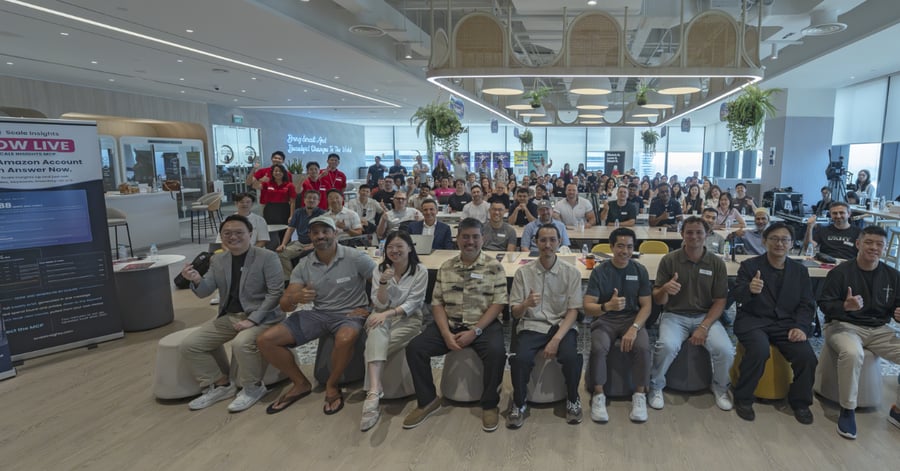
Before we get into the details, here are the highlights from AI Scaling Live Singapore.
The day was filled with practical workflows already running inside real businesses.
Damon was one of the first to show us his. Claude chased more than 20 manufacturers so he didn’t have to.
His sourcing workflow sent 60 RFQs, followed up three times, collected the replies and turned them into a ranked manufacturer shortlist.
Across the day, we saw operators using AI to check GST returns, surfacing missed PPC opportunities, assemble a founder’s to-do list and monitor whether changes to an Amazon listing actually worked.
One point from Elias in the panel strikes me: The KPI isn’t to use more AI. The KPI is whether you got the business outcome you wanted, with AI making that outcome easier or cheaper to achieve.
Which left a more useful question:
What work can you hand over to AI, and what still deserves your judgment?
Here are five observations from the day that stuck with me.
Want to join the next conversation? Register your interest in ASL Online.
1. Kevan’s most profitable keyword was switched off. His AI audit found it.
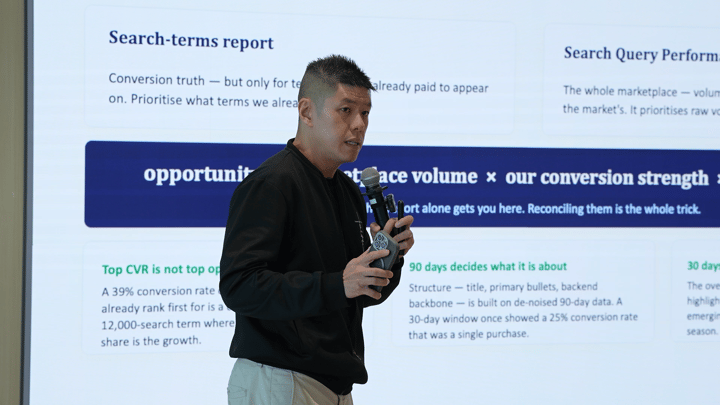
Kevan’s presentation made the audience think twice about their PPC accounts and ask one question:
What are we missing?
His audit found one of his most profitable search terms, “greeting cards assortment box” running at 15.3% ACOS against a 25.3% breakeven. It was performing well below breakeven ACOS, but its exact-match keyword was paused.
It also found another surprising problem across the catalogue: 33 of the 74 keywords it wanted to fund were already being blocked by existing negatives.
This was not hypothetical demand. The product had already shown that people searching those terms would buy it. The account simply was not taking advantage of them.

Source: Kevan Soh, slide 12
Kevan had built his own Claude workflows on top of Scale Insights MCP.
Before MCP, he described the same analysis as report downloads, spreadsheets and manual reconciliation. With MCP, the workflow could pull Search Query Performance, search-term performance, campaign data, keyword-rank data and product information through one connection.
That is where MCP gets interesting to me.
Instead of opening multiple reports and figuring out what question to ask next, you can run a repeatable analysis with a pre-built command that brings the relevant account data together for you.
Luke showed this with si-organic.
The command sizes the opportunity, compares your conversion against the market, checks what the product can afford to pay for traffic, and watches whether Query Share and organic rank move together.
If Query Share rises and organic rank follows, the PPC may be helping build visibility you can keep. If Query Share rises but rank never moves, that tells you something too.
The analysis then places the query into one of four queues: make PPC measurable, wait for results, reduce or repair, or scale or protect.
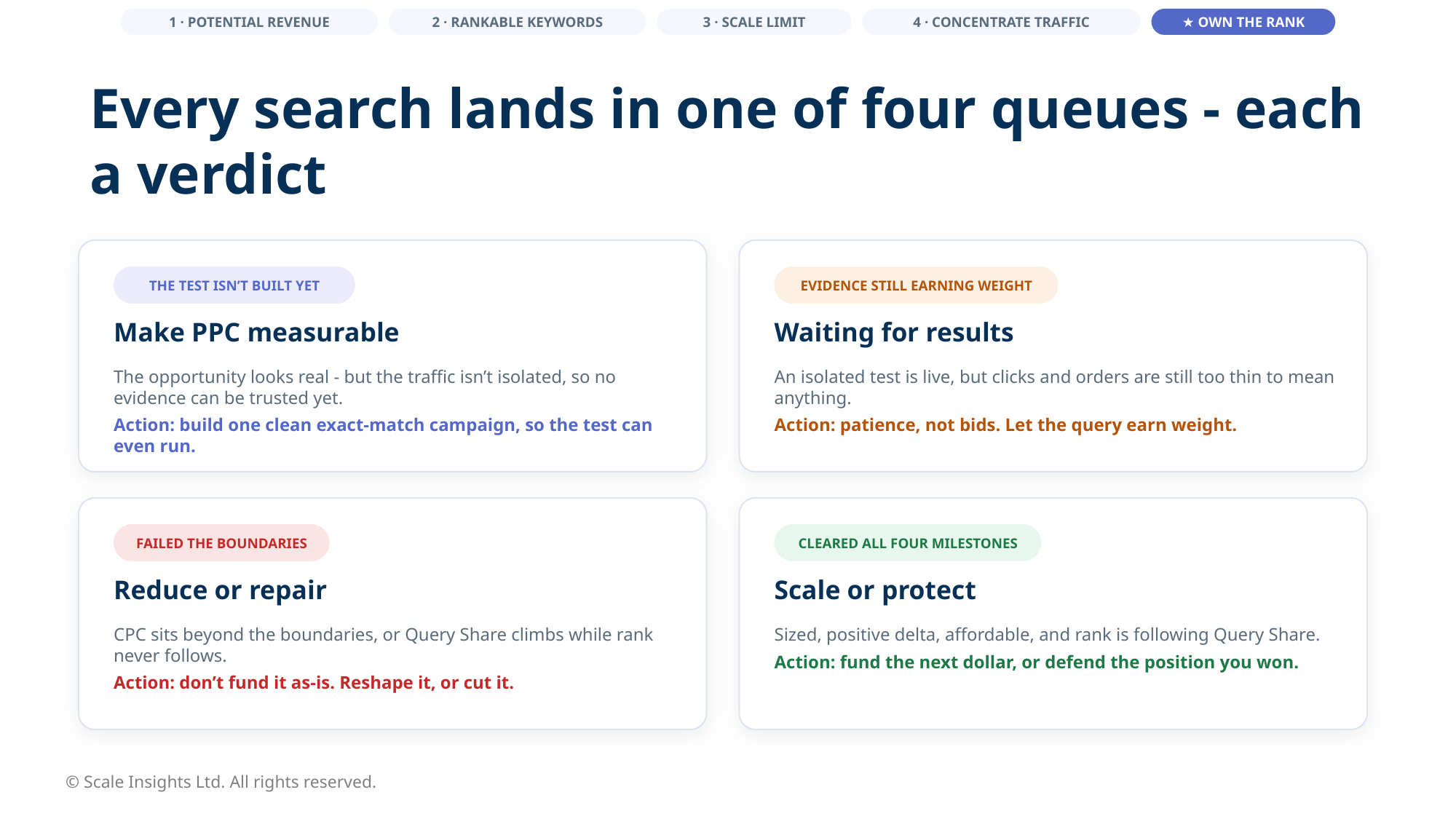
“Wait” and “repair” counted as perfectly valid outcomes. A promising keyword still had to earn the next dollar.
And si-organic was only one example.
There was si-analyst, which looks across the whole account for what changed, what could break next and what deserves attention first. And si-nextmove, which takes one ASIN and turns the analysis into a prioritised plan.
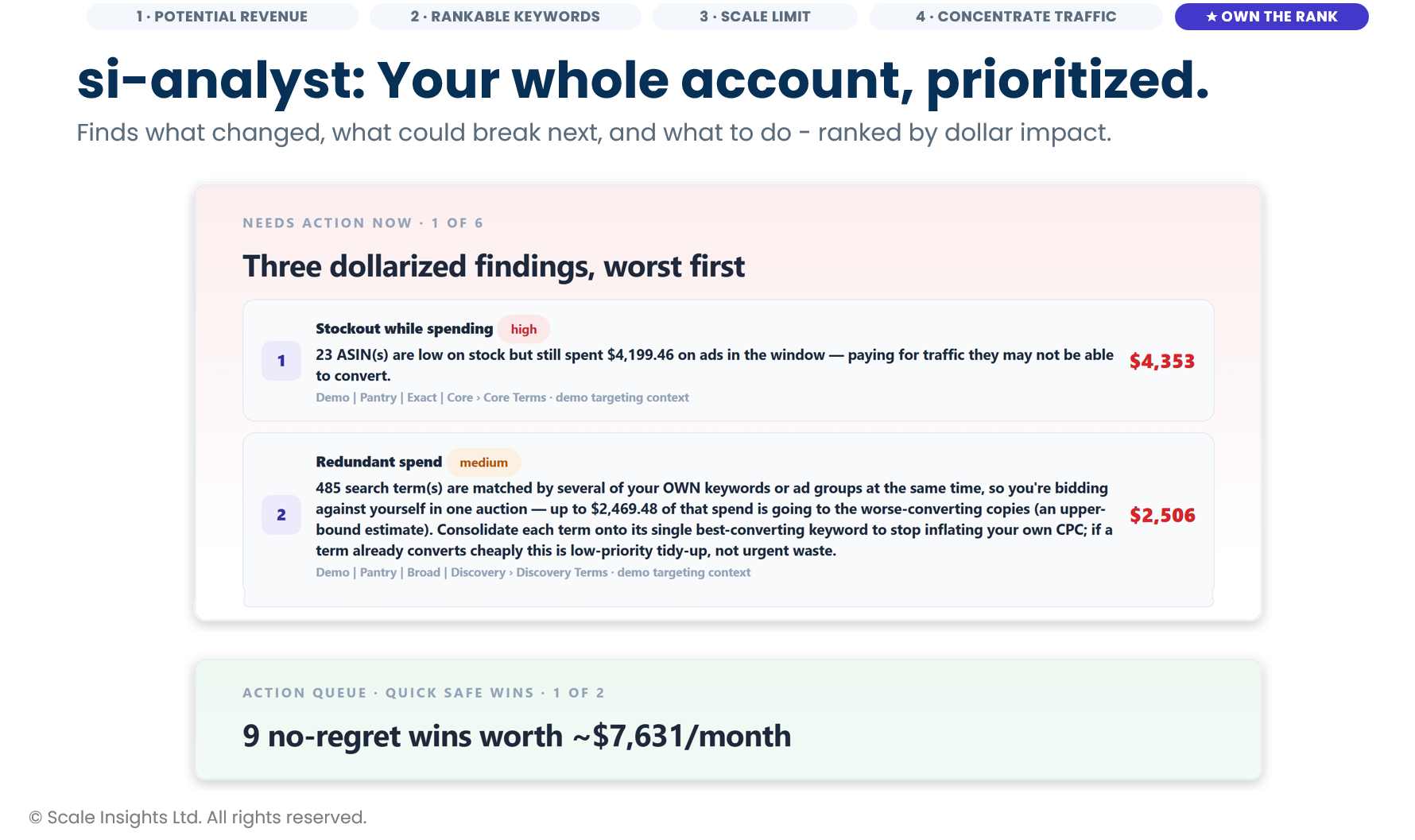
By the end of the presentation, he had demonstrated three commands and pointed to more than 40 available through the same MCP connection, including si-waste, si-budget, si-keywords, si-sqp and si-health-check.
If you are already using Scale Insights, this is a good place to experiment with MCP yourself. Try si-analyst across the account or si-nextmove on one ASIN, then compare what it surfaces with what you would have looked at manually.
2. Claude chased 20+ manufacturers so Damon didn’t have to
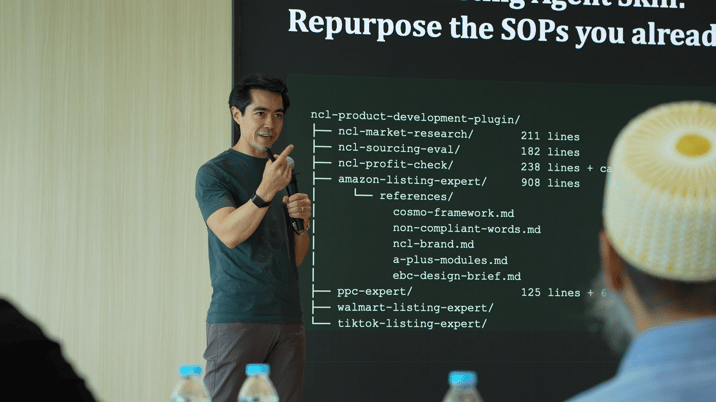
Anyone who has sourced products knows the routine: send the RFQ, follow up, follow up again, receive half the information you asked for, then compare quotations that all arrive differently.
Damon had Claude doing most of that chasing. The time saving was obvious.
What interested me more was what Damon did after the supplier replies came back.
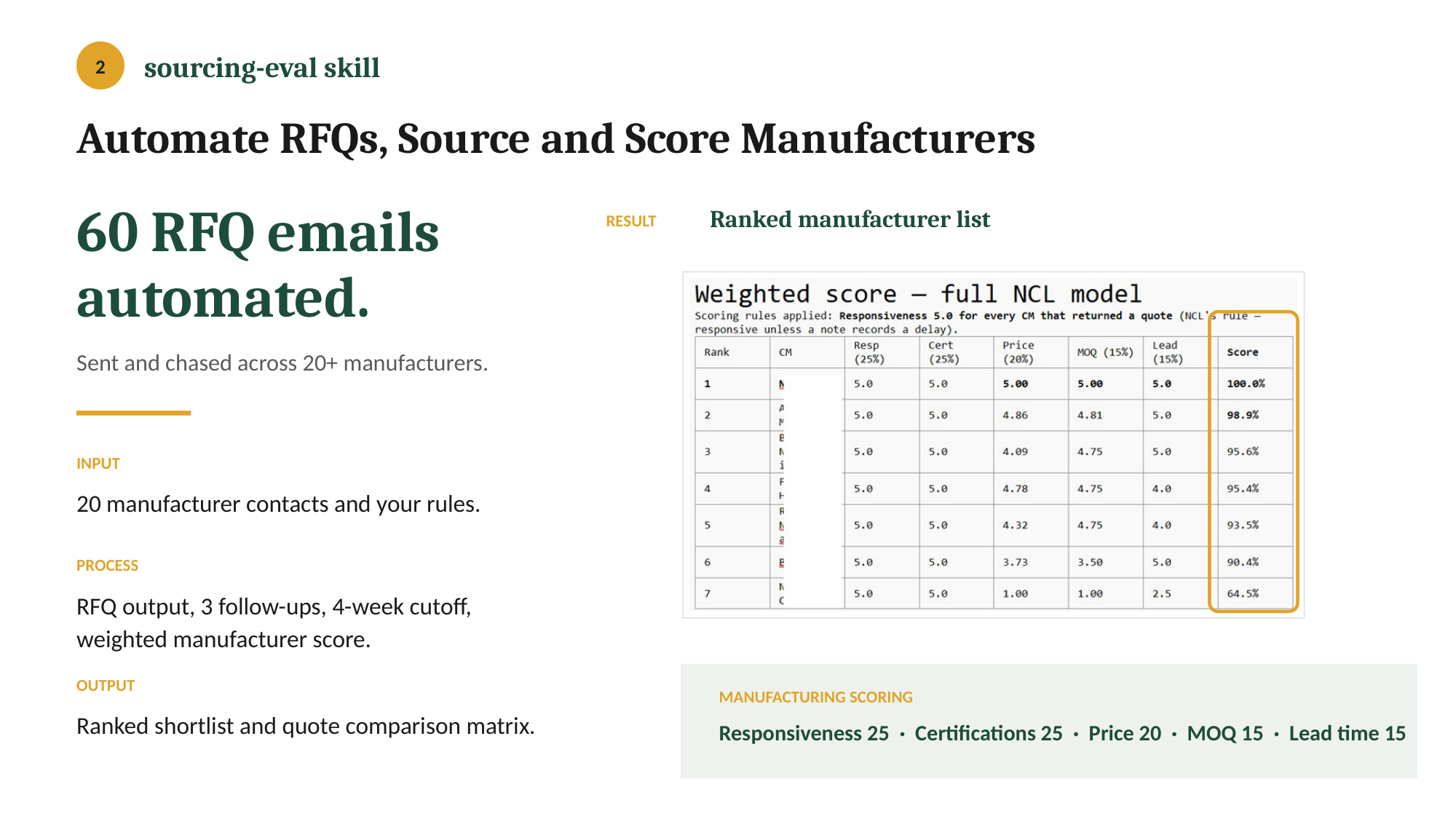
The quotations went straight into a profitability check. His workflow worked through landed cost, FBA fees, referral fees, storage and his own margin requirements before coming back with a go or no-go decision.
If the numbers were close but not good enough, it could also prepare negotiation points to take back to the manufacturer.
He had connected four stages: market research, sourcing, profitability and listing creation. The research determined whether the category was worth entering. Sourcing found and compared manufacturers. The profit check decided whether the economics made sense. Only then did the listing workflow take over.
Damon’s advice for starting was also much smaller than the system he eventually built.
Pick one painful stage, test it against products you already understand, write down every correction, and give someone responsibility for keeping the workflow updated.
3. The AI workflow I came home wanting to build
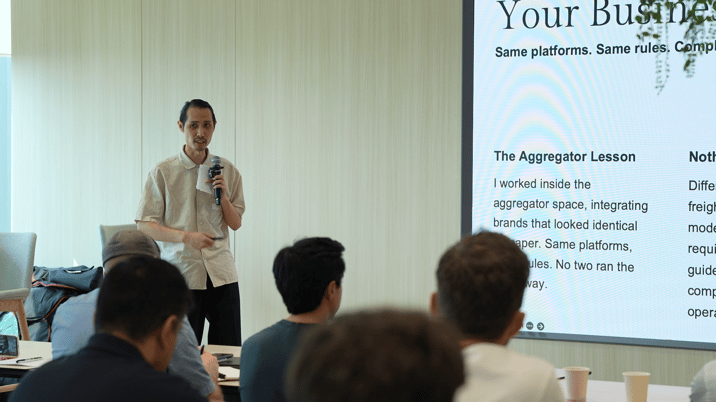
Lee Lim’s session was probably the one that made me think most about our own internal operations afterwards.
He was using AI for things that are important, repetitive and easy to get wrong: payroll verification, GST reconciliation, customs checks and Amazon listing monitoring.
Not particularly sexy. Very useful.
One example compared Xero against the accountant’s GST draft and found a $350 discrepancy. The workflow traced it to an invoice appearing twice in the draft workings and prepared the issue for review. GST payable itself did not change.
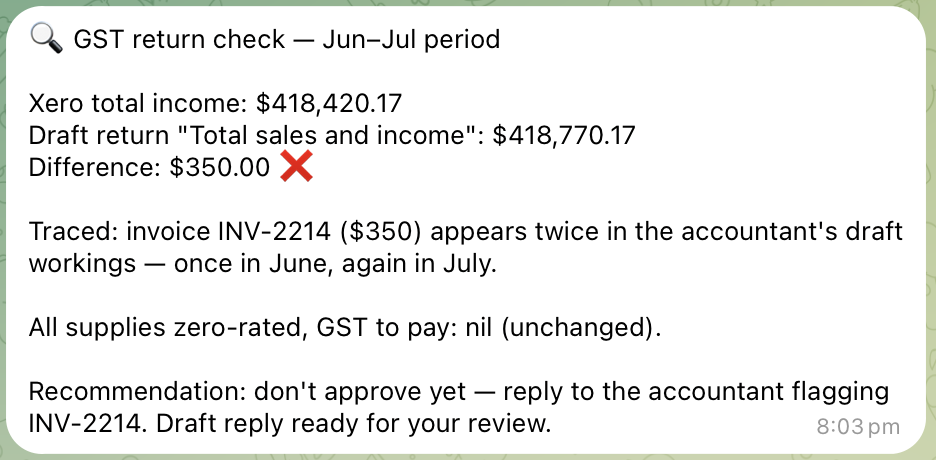
That is the sort of workflow I came away wanting to explore.
I do not want AI making the financial decision. I want it doing the tedious checking before someone has to spend time on it.
Lee’s payroll workflow checked bank details against payment history before money moved. His customs workflow validated classifications and duty calculations. His listing monitor checked Amazon listings against a baseline and surfaced unexpected changes.
The other thing I liked was where he started: what does my business actually do?
Map the process. Map the data. Map the systems involved. Then decide where AI belongs.
His setup may not be yours. The thinking is the part worth copying.
4. Nate found four hours hiding inside his to-do list
Nate Taminger’s to-do list was not really a list. It lived across meeting notes, Slack, ClickUp and email. Before doing the work, he first had to find the work.
So he built a workflow that pulled the tasks together and sorted them by how much AI could realistically take off his plate.
The five buckets were: Do it all. Heavy lifting. Accelerate. Build a tool. All you, Nate.
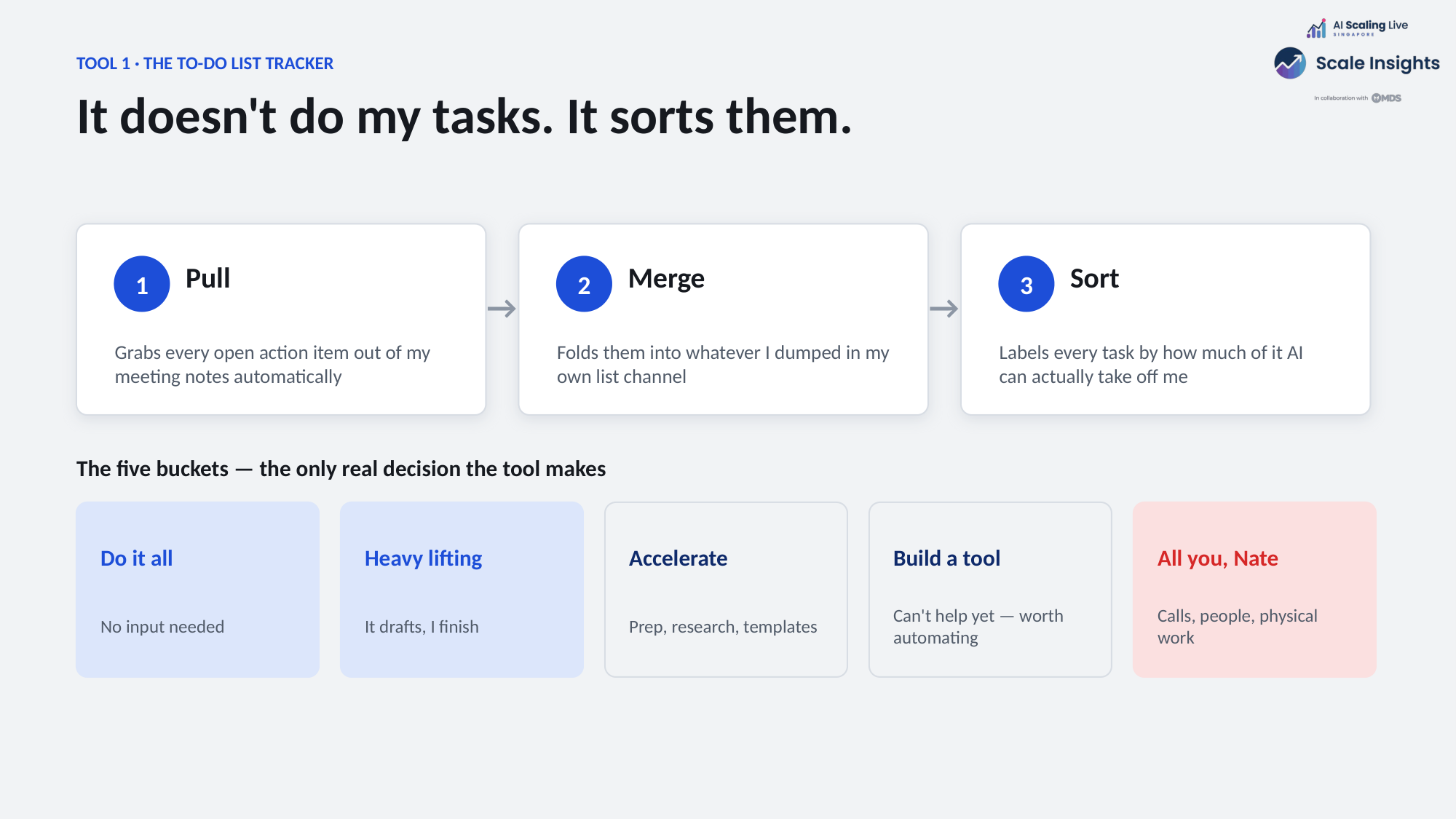
One example added up to around four hours of work that could be handed off or accelerated that day.
That number gets your attention. But I actually liked the “All you, Nate” bucket more.
Calls stayed with him. People stayed with him. Physical work stayed with him. Not everything had to become an AI task.
He applied the same thinking to weekly priorities. His “Most Important Tasks” workflow checked the previous week, searched Slack, task boards and meeting notes for evidence, then proposed the next set of priorities. What had taken around an hour became roughly 15 minutes of reviewing and editing.
His feedback workflow did something similar, gathering evidence and preparing a sourced draft while leaving the actual review conversation with him.
5. Khalid built the clever workflows. His team wanted the boring one.
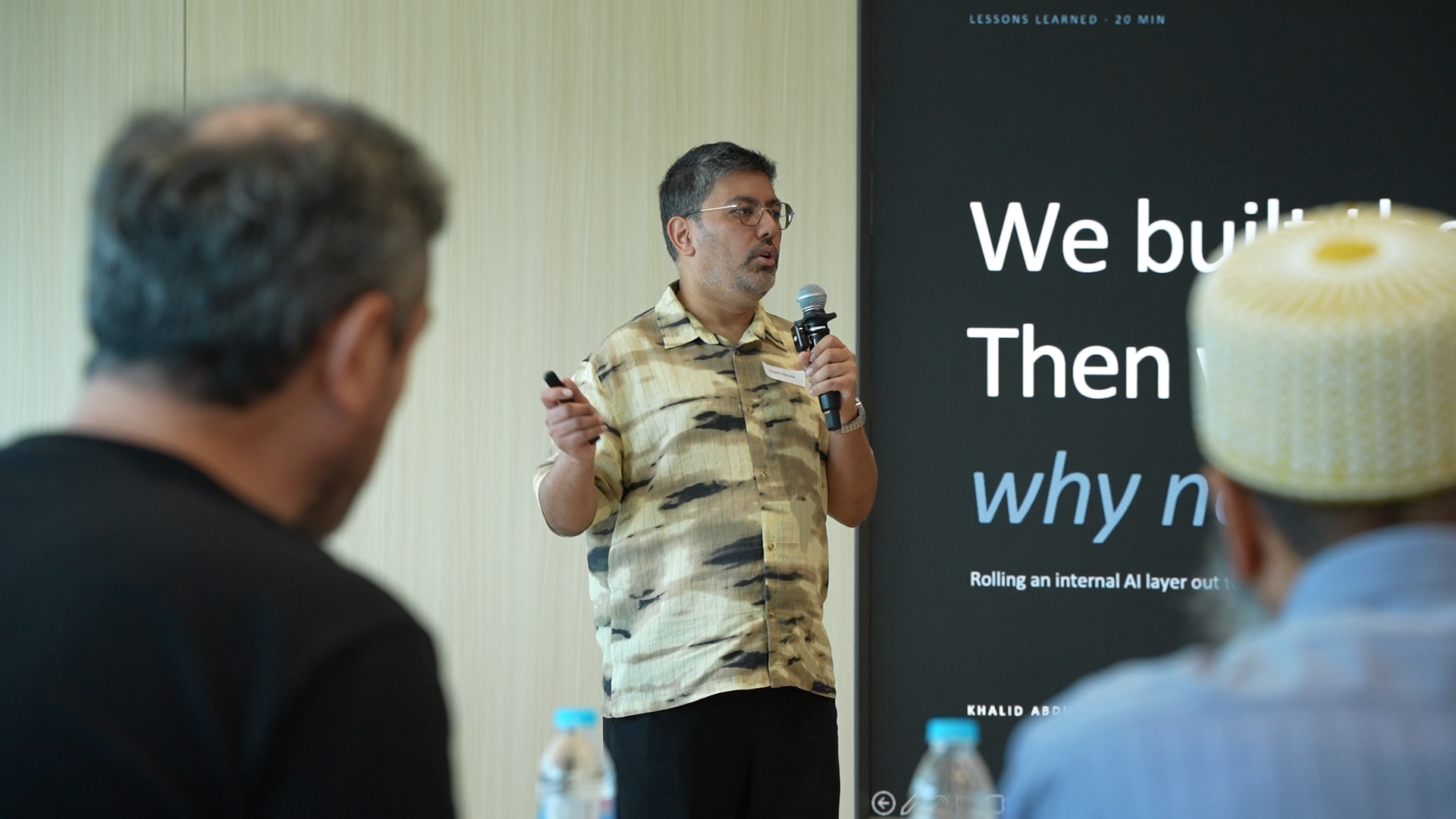
Khalid Abdulla had built an internal AI layer with 23 tools across finance, supply chain, company data and proprietary workflows.
Khalid had put much of his effort into the sophisticated workflows. The tool his team used most was much simpler.
62% of all 1,330 calls went to the simplest tool in the system: letting someone ask the company’s own data a question in plain English.
Every proprietary workflow he had spent time building lived inside the other 38%.
It is easy to start with the workflow that sounds the most impressive. Your team may just want faster access to information they already need every day.
The reason Khalid could see that was because he had logged every call from day one: who used what, when they used it, how long it took, and whether it passed or failed. Without that instrumentation, he said most of the problems would have remained invisible.
The log also exposed one flagship workflow succeeding only one time in 13, despite almost nobody submitting negative feedback.
So if I took one thing from Khalid’s session, it would be this:
Start with the recurring question people already need answered, then watch what they actually use before building the clever stuff.
From Singapore to ASL Online
One thing I liked about AI Scaling Live was that the conversations rarely stopped when the speaker left the stage.
The conversations carried onto the yacht, where operators kept trading ideas on the workflows they were building and what they wanted to try next.
None of these systems really looked finished. Damon keeps updating his skills when something changes. Nate keeps refining how he works. Khalid watches usage because he knows silence does not mean success. Kevan reruns the account analysis and lets the next cycle challenge the previous decision.
That is what we want to carry into ASL Online.
More operators showing what they are actually building, what happened when the workflow touched the real business, what broke and what they changed afterwards.
Singapore gave us plenty of ideas.
Now I am more interested in seeing which ones actually work once people put them into their own businesses.
Register your interest in ASL Online and join the next conversation.