TL;DR
- The Scale Insights MCP is in open beta now. Connect your account to Claude, ChatGPT, Claude Desktop, or Cursor and ask about your ads, sales, keywords, and inventory in plain English.
si-analystreads your whole account in one pass and hands you a short list, worst first, in dollars.si-nextmovetakes one product and tells you what to do next, backed by what your past changes actually did.- 🆕
si-organicfinds the shopper searches you could realistically rank for, and what each one is worth in profit. - It only reads your data. Any change to a bid, budget, or keyword is shown to you first and applied only when you approve it.
- You install it once, and after that it updates itself.
The Scale Insights MCP lets Claude, ChatGPT and other compatible assistants access your Scale Insights account.
Once it’s connected, you can ask questions about your advertising, sales, inventory or search terms in plain English, without digging through reports or exporting spreadsheets. It uses the same data that’s already in your account, but presents it in a way that’s easier to explore, investigate and act on.
This article walks through what it does, how it works, and where to start.
Connect it to the assistant you already use
There’s one server address, and it works with Claude, ChatGPT, Claude Desktop, and Cursor. In Claude you add it as a custom connector, sign in once, and you’re done. You connect with your own login, so the assistant only ever sees what you’d see. It reads your data; it doesn’t touch your account.
Ask for your whole account at once
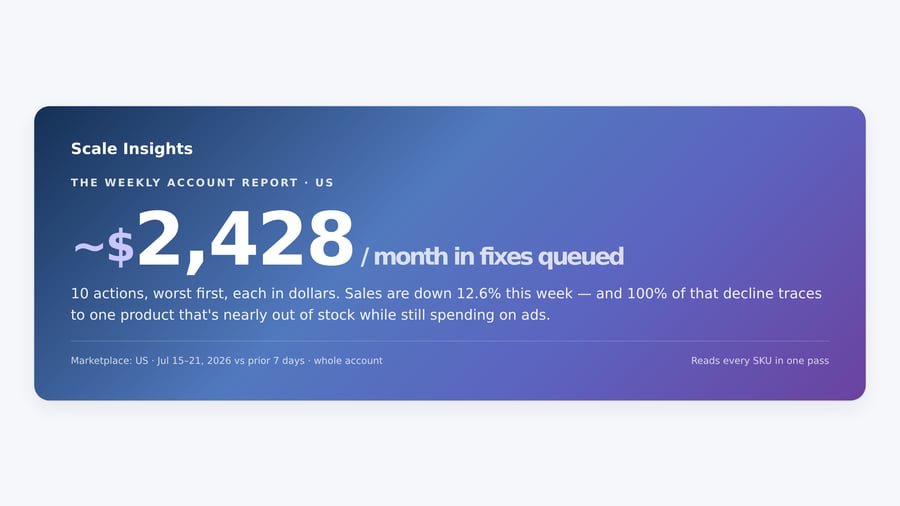
Type si-analyst, or just “give me my weekly account report,” and you get the whole account read in one pass. It comes back as a short list, worst first, in dollars: the product that’s about to stock out while still spending on ads, the search term you’re bidding on in two of your own campaigns at once, the keyword that sells but loses money. Each line names the exact keyword, campaign, and ad group, and what it’s costing you a month.


Go deep on one product
si-nextmove takes a single product and tells you its story. How it’s doing against its own best month. What your past ad pushes and price changes actually did to sales, profit, and rank. What to do next, in dollars. So instead of “sales are down,” you get “here’s the price and ad spend that earned you the most last quarter, and your own history says it didn’t cost you rank.”


Find what you could rank for
si-organic looks across your whole catalogue and finds the shopper searches you could realistically rank for. It scores each one against the visibility that product has already reached on its stronger searches, then tells you what ranking for it would be worth in profit. It works even if you don’t track a single keyword or run any ads.


It only reads, unless you approve a change
By default, the MCP just reads. If you want it to change a bid, move a budget, or add a negative keyword, it shows you the exact before-and-after first, with the monthly cost, and then waits. Nothing is applied until you say yes, and you can undo it afterward. That’s the same whether you’re in Claude, ChatGPT, or anywhere else you’ve connected it.
P/S: We hear you on write access. We are working on it!
You install it once
There’s an optional skill you can add so you can type the short si- commands instead of full sentences. From this version on, it updates itself: when we improve a report or add a command, you get it the next time you ask a question, with nothing to reinstall. It’s the last version you’ll need to download.
It tells you when it’s not sure
The reports are careful about what they claim. Ask whether last week’s changes worked right after you changed a dozen things, and it’ll say it can’t tell yet, because Amazon keeps crediting sales back to an ad click for about two weeks. If a price change and an ad change happened in the same week, it won’t pretend to know which one moved the numbers. We’d rather it say “not sure” than hand you a confident answer that’s wrong.
Try it
It’s in open beta now. Connecting takes about two minutes: add the connector in Claude, ChatGPT, Claude Desktop, or Cursor, sign in, and ask it something real about your account. “Anything on fire in my account?” is a good place to start.
We’re building this in the open, so we’d love to hear what you use the MCP for. You can connect the Scale Insights MCP here, where you’ll also find setup guides for each assistant, the changelog, and a few prompts to get started.
If you have feedback, we’d love to hear that too. Our CEO reads every submission over his morning coffee.